For Teachers using AI Story Studio and Interdisciplinary Quests
After a student has made progress on a project, you can share it publicly. Anyone with this link can view the project in Play mode, where code and grade will not be shown. Follow these steps to share your students' project:
From your project, click My Gradebook in the navigation..
Select your student's project. Projects can be shared after they're "In Progress".
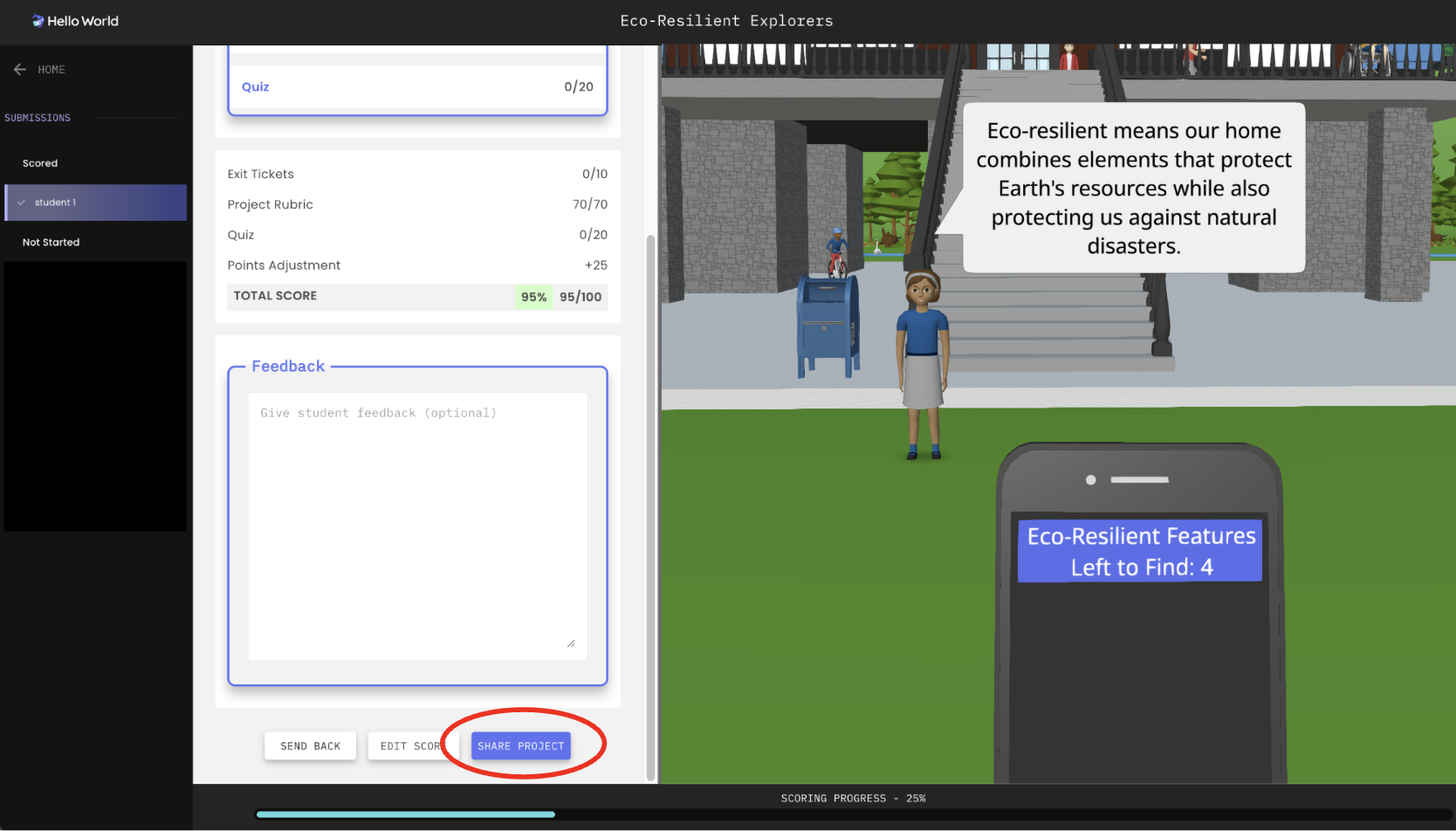
Scroll down to the bottom of the Scoring page and click SHARE.
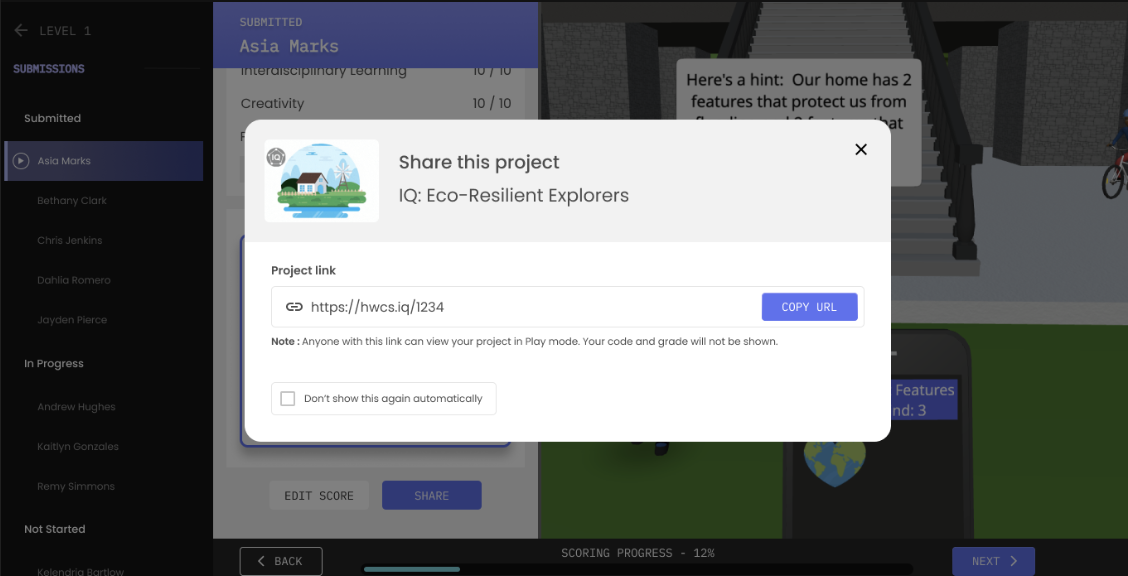
Copy the share link and share the link with it's recipient.
For Students
Students will be able to share their work:
when they're prompted at the end of a Session
when they're prompted at the end of their project
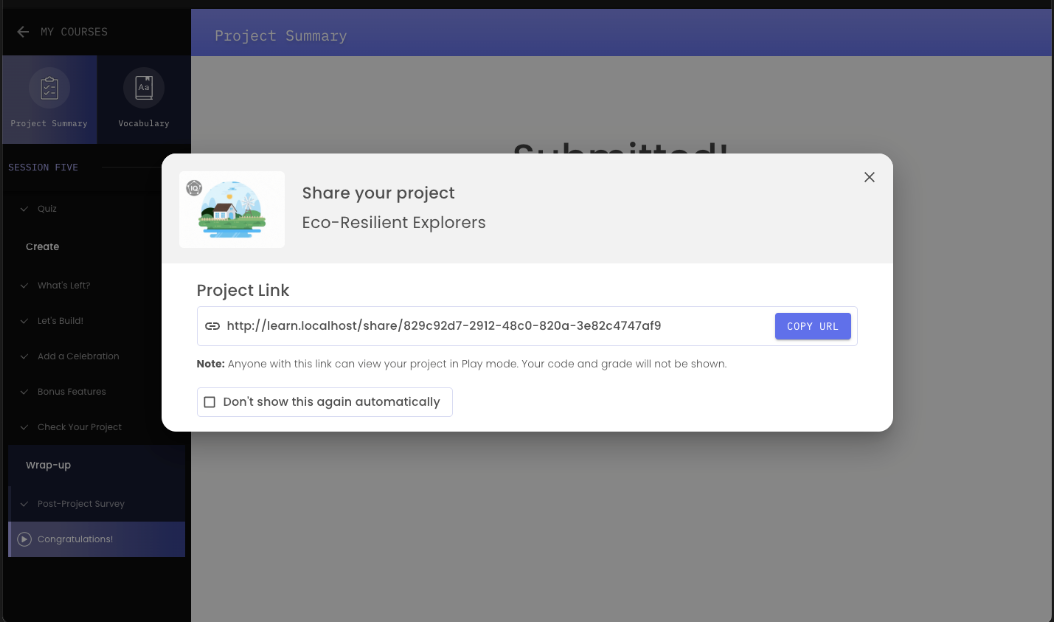
from their project Summary
click the Share My Project button to get the share link.
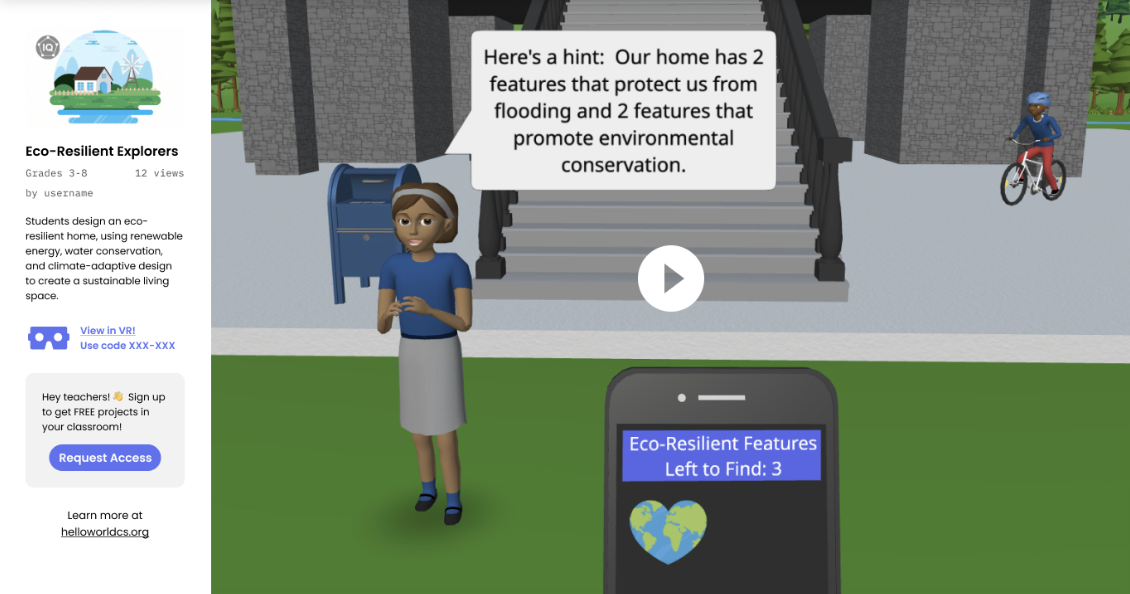
That's it! After a project has been shared, recipients will see is displayed like the image below.