How to Add Courses
- Log in to your Hello World account to view your dashboard.
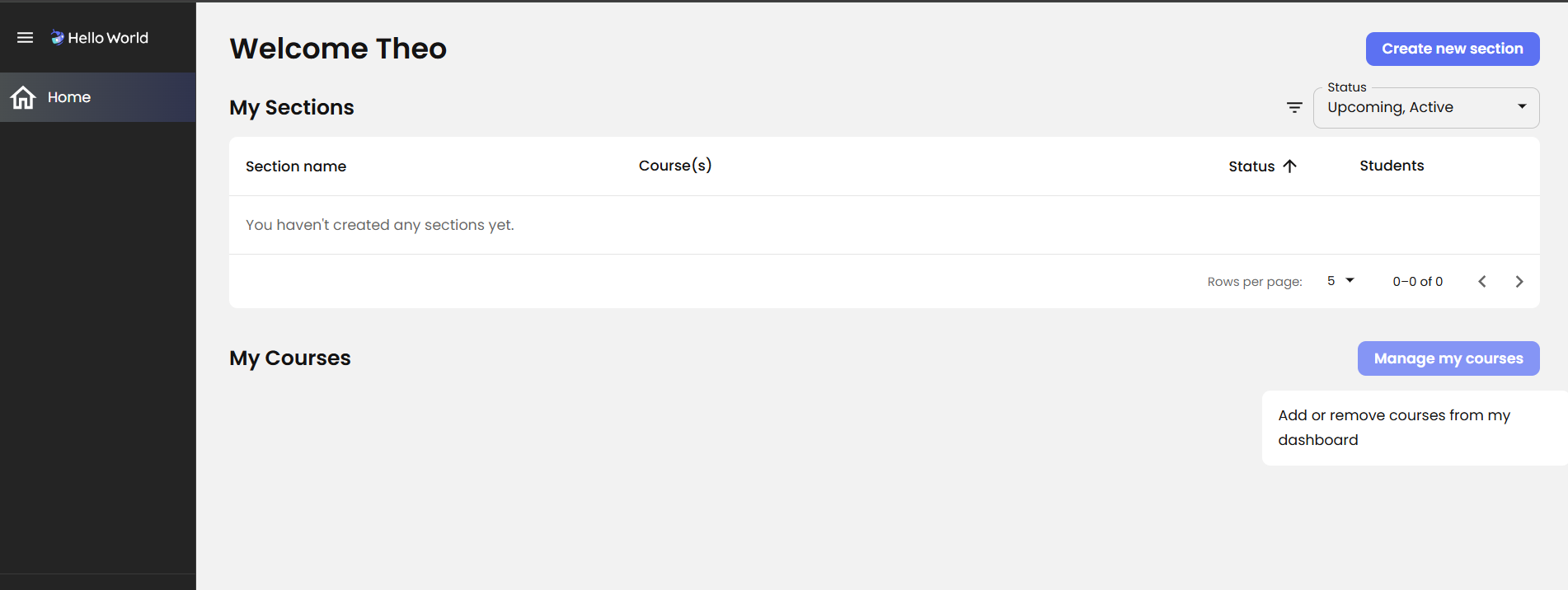
- Locate the Manage my courses button on the right side of the page, directly below the "My Sections" area. (fig.1)
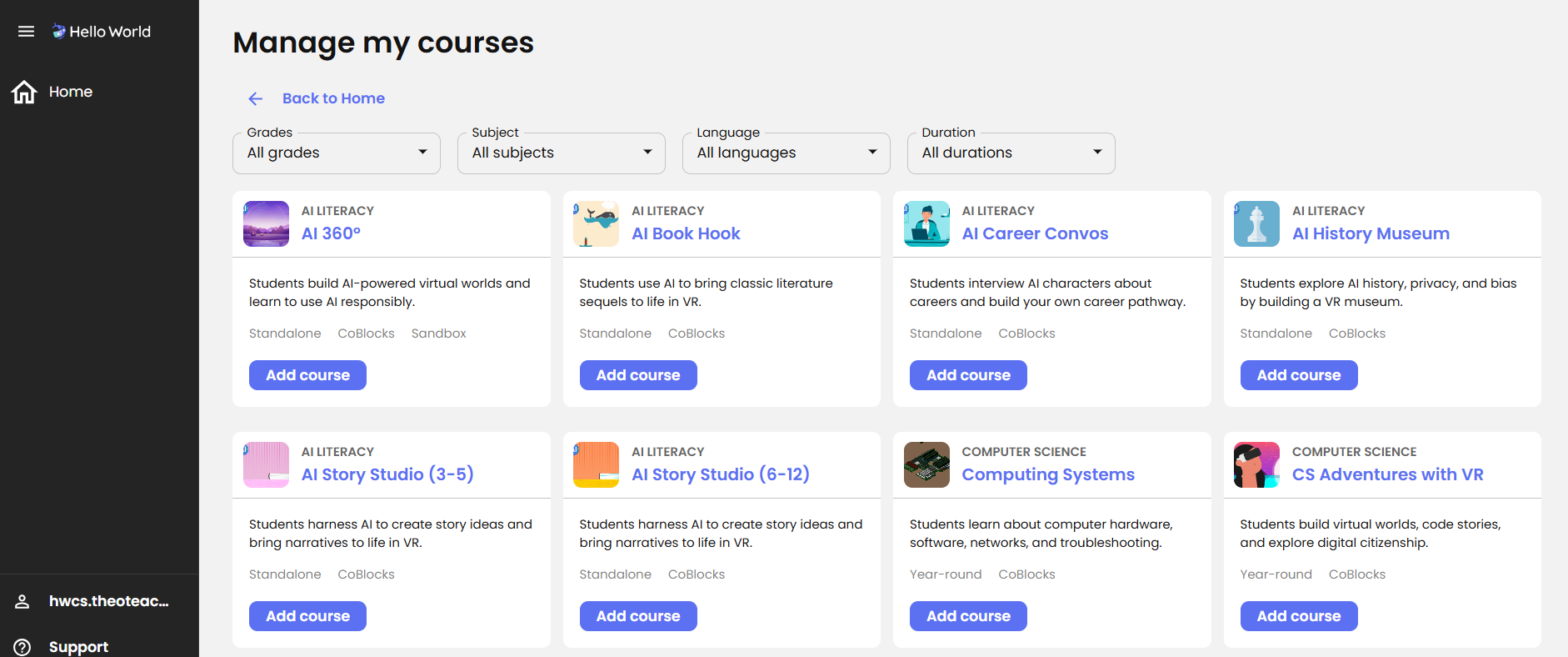
- Click Manage my courses, then select Add course. (fig.2)
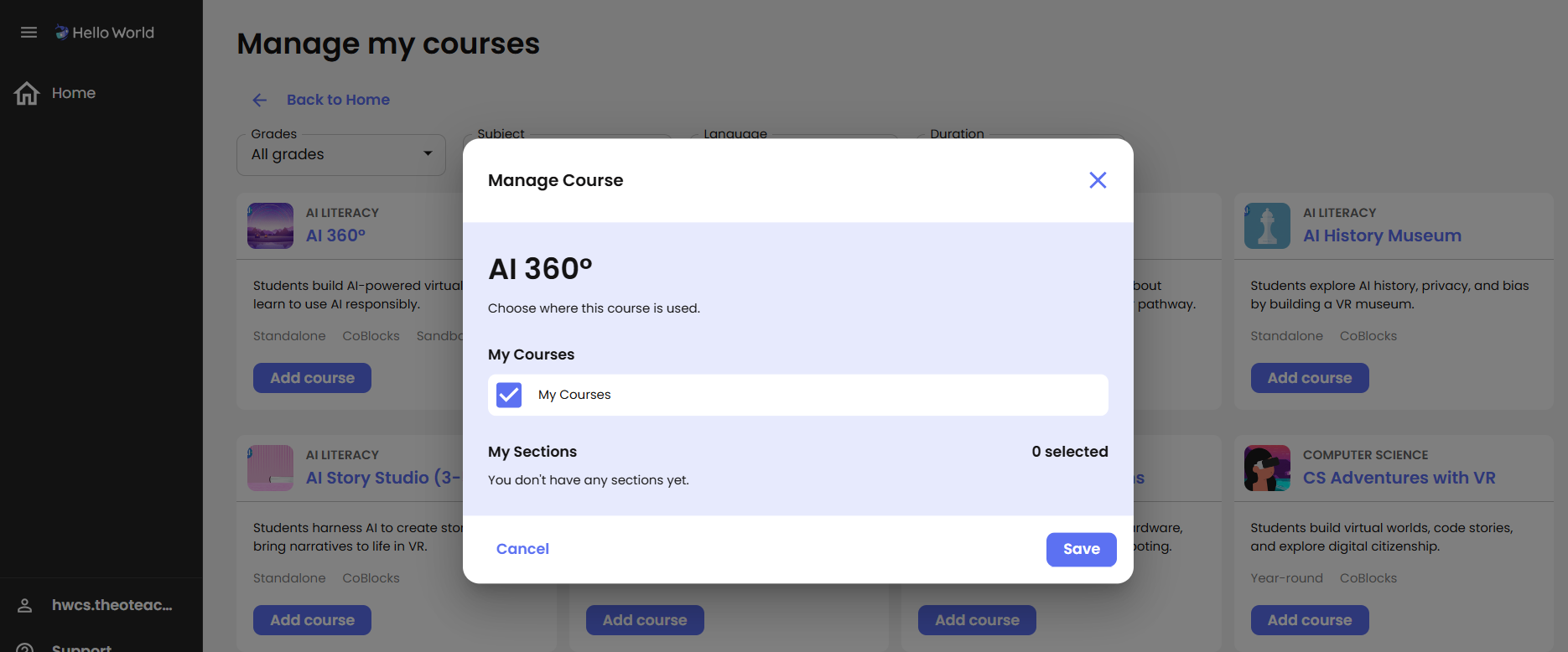
- If you do not currently have any active sections, select the My Courses checkbox and click Save.
- If you have active sections you will have the option to edit the course offerings in those sections in this step.
- Once saved, you can click into and explore the course directly from your dashboard.
fig.1 *Manage my courses button viewed from the dashboard.fig.2 *Manage my courses filtering options.fig.3 *Adding a course to "My Courses" section of my Hello World Dashboard.Video of this feature in action